---
sidebar_position: 6
title: Host Integration
description: Embed Myop components in React, Vue, Angular, and React Native applications using the host SDKs. Covers MyopComponent, typed events, data binding, preloading, auto-generated packages, and local dev setup.
keywords: [myop react, myop vue, myop angular, myop react native, myop host, MyopComponent, myop embed, myop iframe, myop integration, myop sdk]
---
# Host Integration

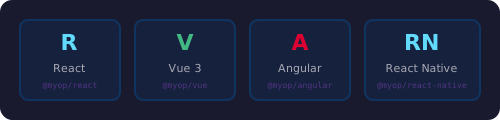
Myop components run inside any host application via framework-specific SDKs. The SDK handles all iframe/WebView management, communication, loading states, error handling, and caching.

<div style={{textAlign: 'center', margin: '24px 0'}}>
  <img src="/img/cli/host-frameworks.svg" alt="Myop host SDKs for React, Vue, Angular, and React Native" width="500" />
</div>

:::danger Never Create Iframes Manually
Always use the SDK's `<MyopComponent>`. Never create `<iframe>` or `<WebView>` elements manually — the SDK handles all communication, sizing, lifecycle, and error recovery.
:::

## React

### Installation

```bash
npm install @myop/react @myop/sdk
```

### Basic Usage

```tsx
import { MyopComponent } from "@myop/react";

function App() {
    return (
        <MyopComponent
            componentId="your-component-id"
            data={{ title: "Hello", items: ["a", "b"] }}
            on={(action, payload) => console.log(action, payload)}
            style={{ width: 400, height: 300 }}
        />
    );
}
```

### Typed Event Handlers

CTA actions from the component become `on[PascalCase]` props:

```tsx
<MyopComponent
    componentId="task-list"
    data={{ tasks }}
    onTaskToggled={({ taskId, completed }) => {
        setTasks(prev => prev.map(t => t.id === taskId ? { ...t, completed } : t));
    }}
    onTaskDeleted={({ taskId }) => {
        setTasks(prev => prev.filter(t => t.id !== taskId));
    }}
/>
```

| Component CTA action | React prop |
|---------------------|------------|
| `'item-selected'` | `onItemSelected` |
| `'form-submitted'` | `onFormSubmitted` |
| `'task-toggled'` | `onTaskToggled` |

### Props

| Prop | Type | Description |
|------|------|-------------|
| `componentId` | `string` | Myop component ID (UUID) |
| `data` | `TData` | Data passed to `myop_init_interface`. Reactive — updates trigger re-render |
| `on` | `(action, payload) => void` | Generic handler for all CTA events |
| `on[ActionName]` | `(payload) => void` | Typed handler for specific CTA |
| `onLoad` | `(component) => void` | Called when component finishes loading |
| `onError` | `(error: string) => void` | Called on load failure |
| `style` | `CSSProperties` | CSS styles for the container |
| `loader` | `ReactNode` | Custom loading indicator |
| `fallback` | `ReactNode` | Custom error fallback |
| `autoSize` | `boolean` | Auto-size container to match content |
| `environment` | `string` | Load from specific environment |
| `preview` | `boolean` | Load unpublished preview version |

### Preloading

```tsx
import { preloadComponents, isPreloaded } from "@myop/react";

await preloadComponents(["component-id-1", "component-id-2"]);
```

---

## Vue

### Installation

```bash
npm install @myop/vue @myop/sdk
```

Requires **Vue 3.5+**.

### Basic Usage

```vue
<script setup>
import { MyopComponent } from "@myop/vue";
</script>

<template>
    <MyopComponent
        component-id="your-component-id"
        :data="{ title: 'Hello' }"
        @cta="(action, payload) => console.log(action, payload)"
    />
</template>
```

### Events

| Event | Payload | Description |
|-------|---------|-------------|
| `@cta` | `action, payload` | CTA event from component |
| `@load` | `ITypedMyopComponent` | Component finished loading |
| `@error` | `string` | Load failure message |
| `@sizeChange` | `SizeInfo` | Dimension change |

### Slots

```vue
<MyopComponent component-id="...">
    <template #loader>
        <div class="spinner">Loading...</div>
    </template>
    <template #fallback>
        <div class="error">Failed to load</div>
    </template>
</MyopComponent>
```

### Data Binding

The `data` prop is **deep-watched**. Vue reactivity changes automatically call `myop_init_interface`:

```vue
<script setup>
import { ref } from 'vue';
const count = ref(0);
</script>

<template>
    <button @click="count++">+1</button>
    <MyopComponent component-id="counter" :data="{ count }" />
</template>
```

### Preloading

```ts
import { preloadComponents } from "@myop/vue";
await preloadComponents(["component-id-1", "component-id-2"]);
```

---

## Angular

### Installation

```bash
npm install @myop/angular @myop/sdk
```

### Basic Usage

`MyopComponent` is a **standalone** Angular component — import directly, no NgModule needed:

```typescript
import { MyopComponent } from "@myop/angular";

@Component({
    selector: 'app-root',
    standalone: true,
    imports: [MyopComponent],
    template: `
        <myop-component
            [componentId]="'your-component-id'"
            [data]="{ title: 'Hello' }"
            (cta)="onCta($event)"
        />
    `
})
export class AppComponent {
    onCta(event: any) {
        console.log(event.action, event.payload);
    }
}
```

### Content Projection

```html
<myop-component [componentId]="'...'">
    <ng-template #loader>
        <div class="spinner">Loading...</div>
    </ng-template>
    <ng-template #fallback>
        <div class="error">Failed to load</div>
    </ng-template>
</myop-component>
```

### Data Binding

The `data` input is tracked via `ngOnChanges`. Create a new object reference to trigger updates:

```typescript
increment() {
    this.count++;
    this.counterData = { count: this.count }; // New reference triggers update
}
```

### Preloading

```typescript
import { preloadComponents } from "@myop/angular";
await preloadComponents(["component-id-1", "component-id-2"]);
```

---

## React Native

### Installation

```bash
npm install @myop/react-native react-native-webview
```

For Expo projects:
```bash
npx expo install react-native-webview
npm install @myop/react-native
```

### Basic Usage

```tsx
import { MyopComponent } from "@myop/react-native";

function App() {
    return (
        <View style={{ flex: 1 }}>
            <MyopComponent
                componentId="your-component-id"
                data={{ title: "Hello" }}
                on={(action, payload) => console.log(action, payload)}
                style={{ flex: 1 }}
            />
        </View>
    );
}
```

### Native-Specific Props

| Prop | Type | Default | Description |
|------|------|---------|-------------|
| `scrollEnabled` | `boolean` | `false` | Allow scrolling inside WebView |
| `zoomEnabled` | `boolean` | `false` | Allow pinch-to-zoom |
| `selectionEnabled` | `boolean` | `false` | Allow text selection |

### Local Dev on Devices

```tsx
import { enableLocalDev, setCloudRepositoryUrl } from "@myop/react-native";

// iOS Simulator
enableLocalDev();

// Android Emulator
setCloudRepositoryUrl("http://10.0.2.2:9292");

// Physical device
setCloudRepositoryUrl("http://192.168.1.100:9292");
```

### Preloading

```tsx
import { preloadComponents } from "@myop/react-native";
await preloadComponents(["component-id-1", "component-id-2"]);
```

---

## Auto-Generated Packages

Every Myop component has an auto-generated, fully typed package for each framework:

```bash
# React
npm install https://cloud.myop.dev/npm/{componentId}/react

# Vue
npm install https://cloud.myop.dev/npm/{componentId}/vue

# Angular
npm install https://cloud.myop.dev/npm/{componentId}/angular

# React Native
npm install https://cloud.myop.dev/npm/{componentId}/react-native
```

Auto-generated packages:
- Have full TypeScript types derived from the component's `<script type="myop/types">` block
- Bake in the `componentId` — no prop needed
- Have the same API as `<MyopComponent>` but with typed data and events

```tsx
// Using auto-generated package (recommended for production)
import { TaskList } from "@myop/task-list";

<TaskList
    data={{ tasks }}
    onTaskToggled={(payload) => {
        // payload is typed: { taskId: string; completed: boolean }
    }}
/>
```

---

## Configuration Functions

All SDKs export the same configuration functions:

```ts
import { enableLocalDev, setCloudRepositoryUrl, setEnvironment } from "@myop/react";

enableLocalDev();                        // Load from localhost:9292
setCloudRepositoryUrl("https://custom"); // Custom cloud URL
setEnvironment("staging");               // Default environment
```