Dev Server & Local Development
The myop dev command starts a local development server with file watching and hot module replacement (HMR).
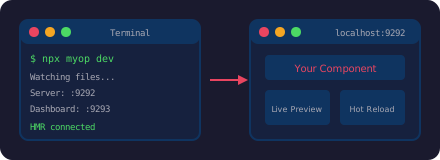
Starting the Dev Server
npx myop dev
| URL | Purpose |
|---|---|
http://localhost:9292 | Dev server — component preview |
http://localhost:9293 | Management dashboard |
How It Works
Single-file mode
If the project has only index.html (no package.json with a build script), the dev server serves the file directly. Edits to index.html trigger an instant HMR update — no build step.
Multi-file mode
If the project has a build script, the dev server watches source files and triggers builds automatically:
- If
build.jsexists → runsnode build.js - If
package.jsonhas abuildscript → runsnpm run build
The built dist/index.html is served and refreshed after each build.
File watching
The dev server watches for changes to .js, .css, and .html files. When a change is detected, it either refreshes the served file (single-file mode) or triggers a rebuild (multi-file mode).
Monorepo Mode
When working with multiple components in a monorepo, use the -m flag:
npx myop dev -m
This scans for all myop.config.json files in nested directories (up to 3 levels deep) and presents a checkbox menu to select which components to serve simultaneously.
.myop-monorepo.json
Selected components are saved to .myop-monorepo.json so you don't have to pick them every time:
{
  "selectedComponents": [
    "./packages/components/sidebar",
    "./packages/components/chart"
  ],
  "lastUpdated": "2025-01-15T10:30:00.000Z"
}
Connecting to a Host App
To point your host app (React, Vue, Angular, React Native) at the local dev server instead of the Myop cloud:
React
import { enableLocalDev } from "@myop/react";
enableLocalDev(); // All <MyopComponent> instances load from localhost:9292
Vue
import { enableLocalDev } from "@myop/vue";
enableLocalDev();
Angular
import { enableLocalDev } from "@myop/angular";
enableLocalDev();
React Native
import { enableLocalDev } from "@myop/react-native";
enableLocalDev();

// Android emulator:
// import { setCloudRepositoryUrl } from "@myop/react-native";
// setCloudRepositoryUrl("http://10.0.2.2:9292");

// Physical device:
// setCloudRepositoryUrl("http://192.168.1.100:9292");
Now edits to component source files are reflected instantly in your host app.
Remember to remove or comment out enableLocalDev() before deploying your host app to production.
Management Dashboard
Access the management dashboard at http://localhost:9293 for a real-time overview of your dev environment:
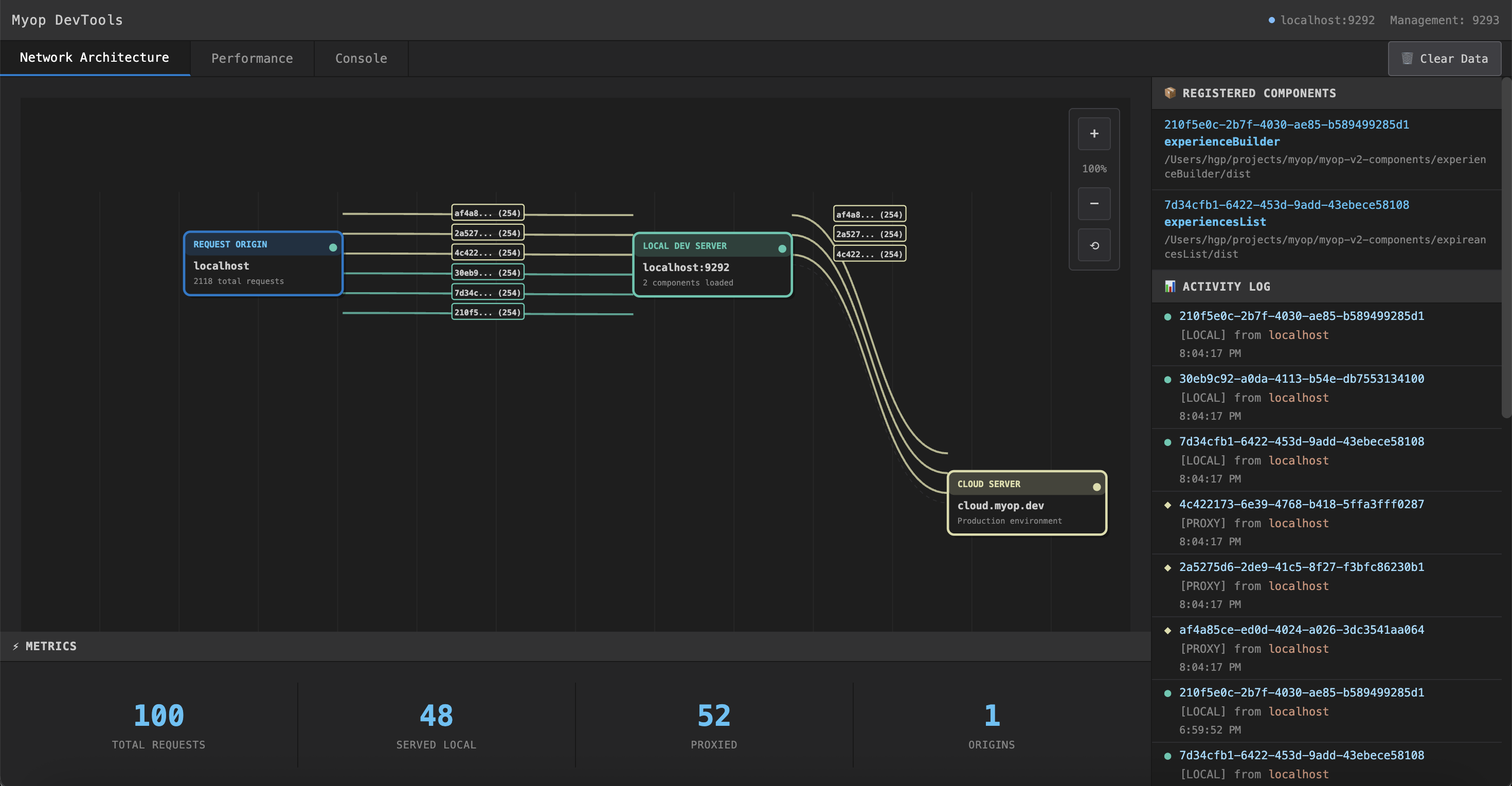
Network Architecture
The network diagram visualizes how requests flow through the dev server — from your host app, through the local server for registered components, and proxied to cloud.myop.dev for everything else:

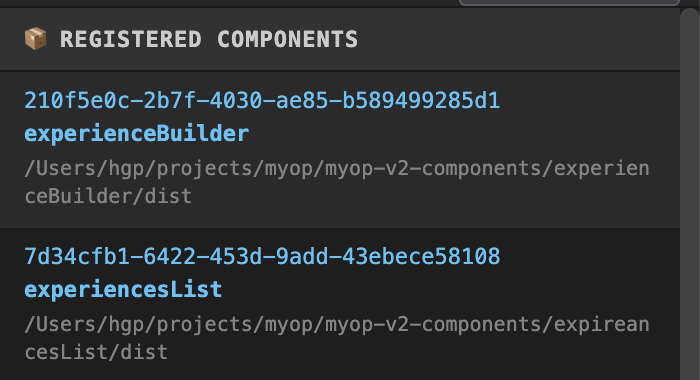
Registered Components
The panel shows all components currently served by the dev server, with their IDs, names, and local paths:
Working on Existing Components Locally
When you need to modify a component that's already deployed:
# 1. Pull the component source
mkdir components/sidebar && cd components/sidebar
npx myop pull <componentId>

# 2. Start the dev server
npx myop dev

# 3. Enable local dev in your host app (see above)

# 4. Edit index.html — changes reflect instantly

# 5. Push when done
npx myop push
Multiple components
mkdir -p components && cd components
npx myop pull <sidebar-id> -o sidebar/index.html
npx myop pull <chart-id> -o chart/index.html
npx myop dev -m    # Monorepo mode