Self-Hosting Components
Myop supports serving components from your own infrastructure — S3, CloudFront, Azure Blob Storage, GCS, or any static file server. Your app loads components entirely from your CDN with zero runtime dependency on Myop servers.
How It Works
┌─────────────┐     webhook / schedule     ┌──────────────────┐
│ Myop Cloud   │ ─────────────────────────► │  Your CI/CD       │
│ (dashboard)  │    on every release        │  (GitHub Actions / │
└─────────────┘                             │   custom pipeline) │
                                            └────────┬─────────┘
                                                     │  npx myop export
                                                     ▼
                                            ┌──────────────────┐
                                            │  Your CDN / S3    │
                                            └────────┬─────────┘
                                                     │
                                                     ▼
                                            Your App + Myop SDK
                                            enableSelfHosted("https://cdn.yourco.com")
- You develop and publish components using the Myop dashboard as usual
- On every release, Myop notifies your CI/CD pipeline (via GitHub Actions or webhook)
- Your pipeline runs
npx myop exportto pull static JSON files - Files are deployed to your S3/CDN
- Your app's SDK fetches components from your CDN instead of Myop cloud
Quick Start
1. Generate an API Key
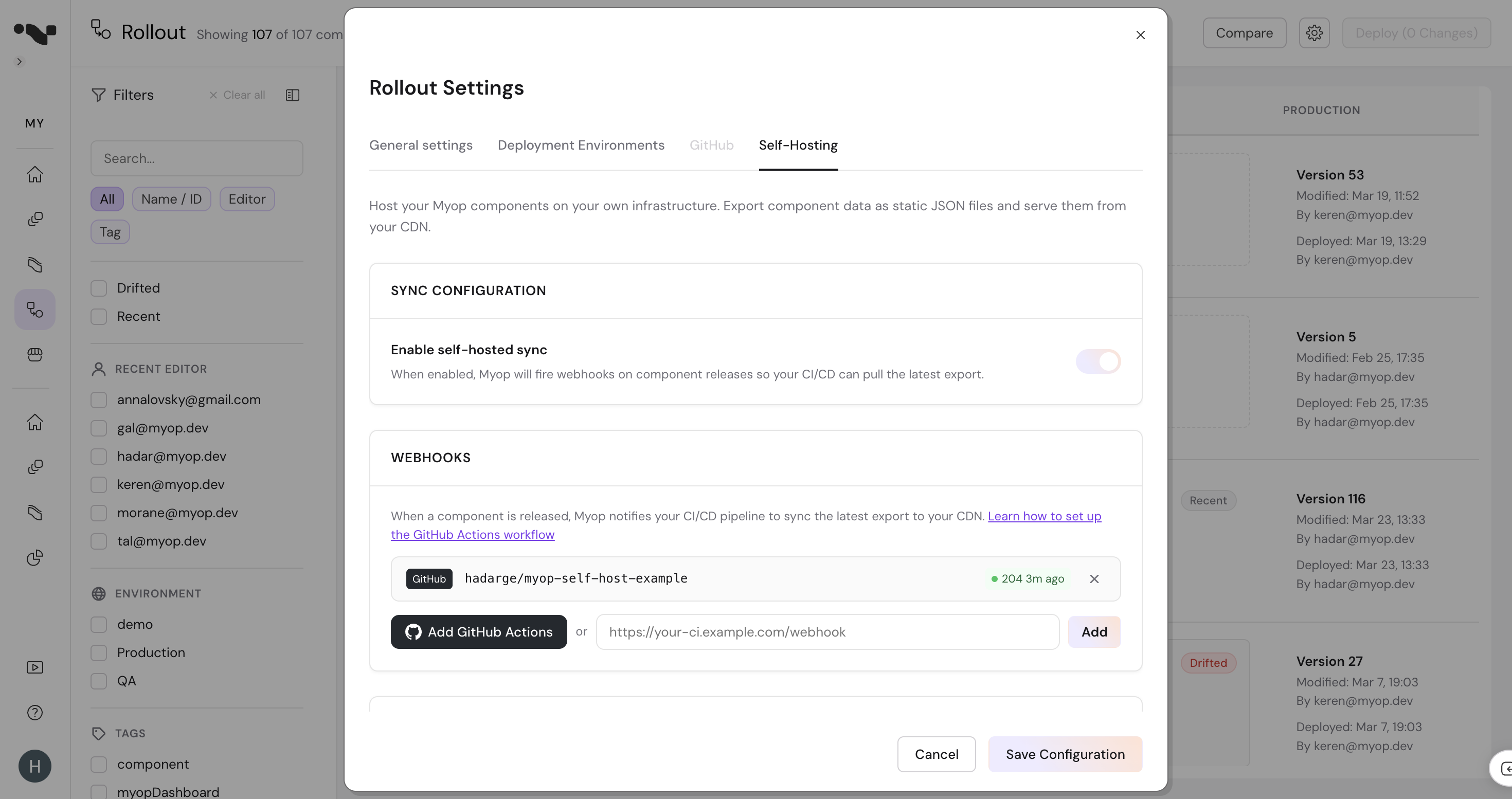
Go to Dashboard > Rollout > Settings (gear icon) > Self-Hosting tab, then click Create API Key. Copy and save the key — it's only shown once.
2. Export Components
npx myop export --api-key myop_sk_... --output ./myop-static
This creates a directory of static JSON files — one per component per environment. See CLI Reference below for all options.
3. Deploy to Your CDN
Upload the myop-static/ directory to your S3 bucket, CDN, or static hosting:
aws s3 sync ./myop-static s3://your-bucket --cache-control "public, max-age=300"
4. Configure Your App
import { enableSelfHosted, setEnvironment } from '@myop/react';

enableSelfHosted('https://cdn.yourcompany.com/myop-static');
setEnvironment('production');
That's it. Your app now loads components entirely from your infrastructure.
5. Automate (recommended)
Set up automated syncing so components stay up to date when you release new versions:
- GitHub Actions — One-click setup from the dashboard. Recommended for GitHub users.
- Generic Webhooks — For any CI/CD system (Jenkins, GitLab CI, CircleCI, etc.)
CLI Reference
npx myop export
Exports your organization's components as static JSON files.
npx myop export [options]
Options
| Flag | Environment Variable | Default | Description |
|---|---|---|---|
-k, --api-key <key> | MYOP_API_KEY | — | Your Myop API key (required) |
-o, --output <dir> | OUTPUT_DIR | ./myop-static | Directory to write exported files to |
-u, --url <url> | MYOP_API_URL | https://cloud.myop.dev | Myop API URL |
--releases <json> | — | — | JSON array of releases for incremental sync |
--component <id> | — | — | Export a single component by ID |
--env <env> | — | — | Environment to export (used with --component) |
Command-line flags take priority over environment variables. Environment variables take priority over defaults.
Output Directory
By default, files are written to ./myop-static relative to where you run the command. You can change this in three ways:
# 1. Using the --output flag
npx myop export --output /var/www/myop-components

# 2. Using the OUTPUT_DIR environment variable
OUTPUT_DIR=/var/www/myop-components npx myop export

# 3. In a CI environment (e.g., GitHub Actions), set it as a workflow env
#    env:
#      OUTPUT_DIR: ./myop-static
The directory is created automatically if it doesn't exist.
Full Export
Exports all components across all environments. A manifest.json is also generated.
npx myop export --api-key myop_sk_... --output ./myop-static
Incremental Export
Exports only specific components that changed. Used in CI when triggered by a webhook — the --releases flag accepts the same JSON array from the webhook payload.
npx myop export --releases '[{"componentId":"uuid-1","environment":"production","environmentId":"...","variantId":"..."}]'
Or export a single component:
npx myop export --component 2098cfba-5124-48ff-b87d-6cd71c14cf7a --env production
Incremental exports also fetch the preview.json for each component, so your preview environment stays in sync too.
Using in CI/CD
In CI pipelines, use environment variables instead of inline flags to keep secrets out of logs:
export MYOP_API_KEY=${{ secrets.MYOP_API_KEY }}
export OUTPUT_DIR=./myop-static

npx myop export
See Sync with GitHub Actions for a complete workflow example.
Guides
- Sync with GitHub Actions — Automated sync with one-click setup
- Generic Webhook Integration — Custom CI/CD integration
- API Keys & Webhooks Reference — Authentication and webhook payload details
- Static File Format — Directory structure and JSON format
- SDK Configuration — Framework-specific setup