Sync with GitHub Actions
The recommended way to keep your self-hosted components up to date. When you release a component in the Myop dashboard, a GitHub Actions workflow automatically exports and deploys it to your CDN.
How It Works
Release component in dashboard
        │
        ▼
Myop fires repository_dispatch ──► GitHub Actions workflow runs
                                           │
                                    npx myop export
                                           │
                                    aws s3 sync / deploy
                                           │
                                    Components live on your CDN
Setup
Step 1: Create the Workflow
Create a repository (or use an existing one) and add this workflow file:
name: Myop Component Sync

on:
  # Triggered by Myop webhook via GitHub repository_dispatch
  repository_dispatch:
    types: [myop-components-deployed]

  # Scheduled fallback — ensures components are in sync even if a webhook was missed
  schedule:
    - cron: '0 0 * * *'  # Every 24 hours (midnight UTC)

  # Manual trigger
  workflow_dispatch:

env:
  MYOP_API_URL: https://cloud.myop.dev
  OUTPUT_DIR: ./myop-static

jobs:
  sync:
    runs-on: ubuntu-latest
    steps:
      - name: Checkout
        uses: actions/checkout@v4

      - name: Setup Node.js
        uses: actions/setup-node@v4
        with:
          node-version: '20'

      - name: Export components from Myop
        run: |
          if [ "${{ github.event_name }}" = "repository_dispatch" ] && \
             [ "$RELEASES_JSON" != 'null' ] && [ -n "$RELEASES_JSON" ]; then
            echo "Incremental sync from webhook"
            npx myop export --output "$OUTPUT_DIR" --releases "$RELEASES_JSON"
          else
            echo "Full sync"
            npx myop export --output "$OUTPUT_DIR"
          fi
        env:
          MYOP_API_KEY: ${{ secrets.MYOP_API_KEY }}
          MYOP_API_URL: ${{ env.MYOP_API_URL }}
          OUTPUT_DIR: ${{ env.OUTPUT_DIR }}
          RELEASES_JSON: ${{ toJSON(github.event.client_payload.releases) }}

      - name: Configure AWS credentials
        uses: aws-actions/configure-aws-credentials@v4
        with:
          aws-access-key-id: ${{ secrets.AWS_ACCESS_KEY_ID }}
          aws-secret-access-key: ${{ secrets.AWS_SECRET_ACCESS_KEY }}
          aws-region: us-east-1

      - name: Sync to S3
        run: |
          DELETE_FLAG=""
          if [ "${{ github.event_name }}" != "repository_dispatch" ]; then
            DELETE_FLAG="--delete"
          fi
          aws s3 sync ${{ env.OUTPUT_DIR }} s3://${{ secrets.AWS_S3_BUCKET }} \
            $DELETE_FLAG \
            --cache-control "public, max-age=300" \
            --content-type "application/json"

      - name: Invalidate CloudFront cache (optional)
        if: env.HAS_CF == 'true'
        run: |
          aws cloudfront create-invalidation \
            --distribution-id ${{ secrets.AWS_CLOUDFRONT_DISTRIBUTION_ID }} \
            --paths "/components/*"
        env:
          HAS_CF: ${{ secrets.AWS_CLOUDFRONT_DISTRIBUTION_ID != '' }}
When triggered by a webhook (repository_dispatch), the workflow exports only the changed component and uploads it to S3 without --delete — so existing files are preserved.
On schedule or manual trigger, it does a full export and syncs with --delete to remove any stale files from S3.
Step 2: Add Repository Secrets
Go to your repository's Settings > Secrets and variables > Actions and add:
| Secret | Description |
|---|---|
MYOP_API_KEY | Your Myop API key (myop_sk_...) from Dashboard > Self-Hosting |
AWS_S3_BUCKET | Your S3 bucket name (e.g., myop-components-prod) |
AWS_ACCESS_KEY_ID | AWS IAM credentials with S3 write access |
AWS_SECRET_ACCESS_KEY | AWS secret key |
AWS_CLOUDFRONT_DISTRIBUTION_ID | (Optional) CloudFront distribution ID for cache invalidation |
Step 3: Connect from the Dashboard
- Go to Dashboard > Rollout > Settings (gear icon) > Self-Hosting
- Enable self-hosted sync
- Click Add GitHub Actions
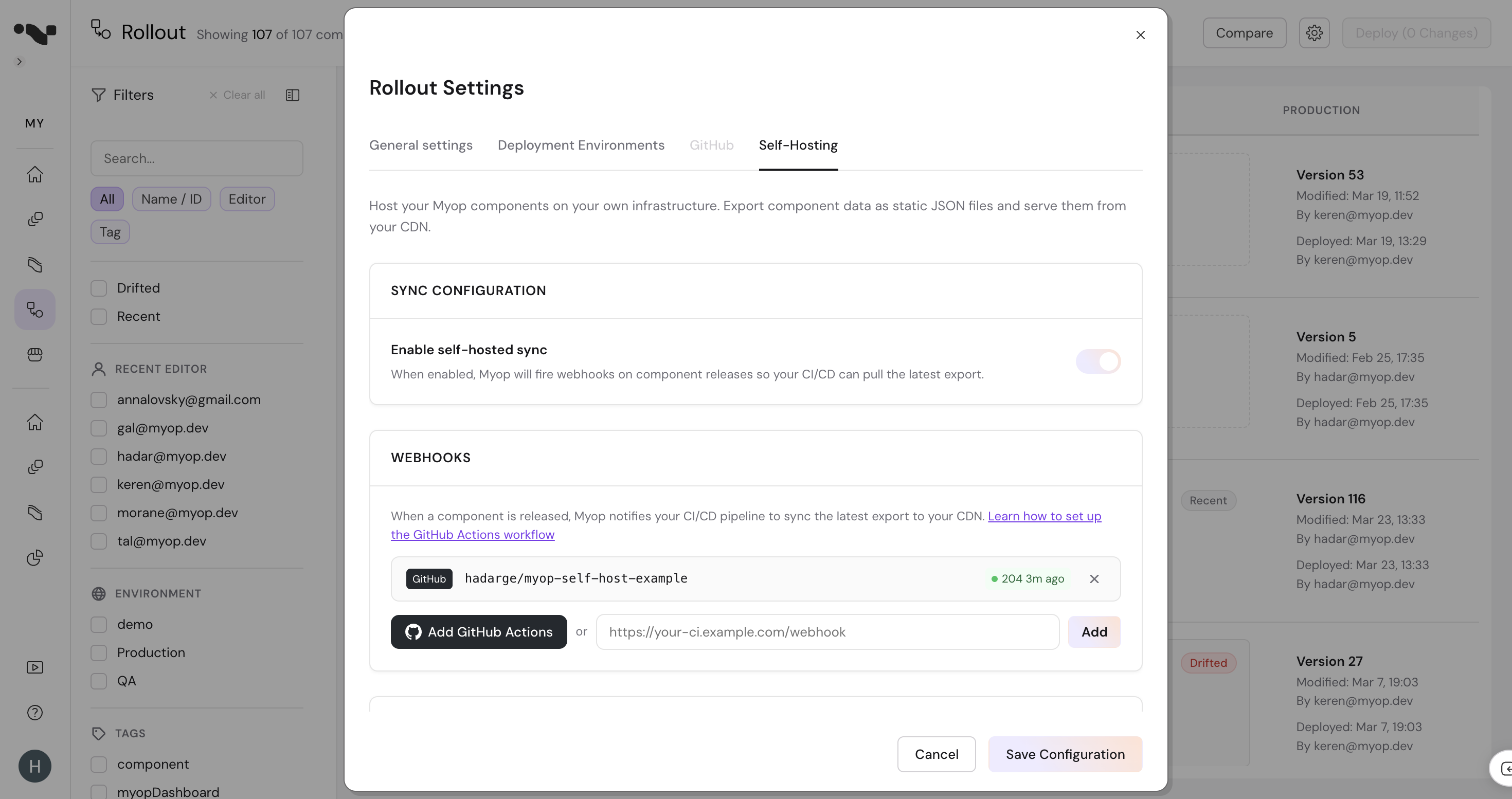
- Authorize the Myop GitHub App and select the repository with your workflow
- Click Add, then Save Configuration
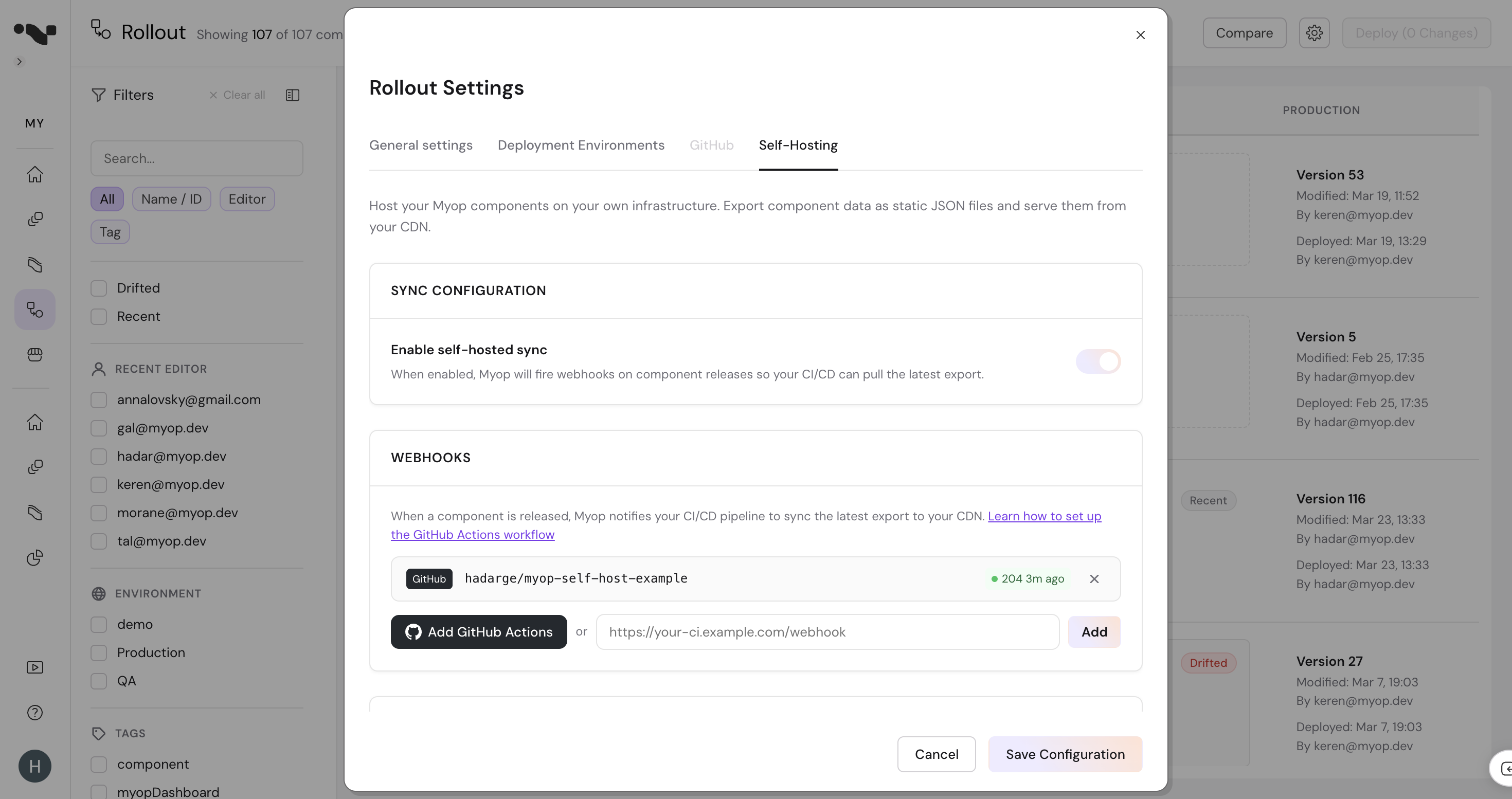
That's it. When you release a component, Myop will send a repository_dispatch event to your repo, triggering the workflow.
The Myop GitHub App needs access to the repository. Click "Configure GitHub App access" in the repo selector to add it.
Step 4: Test the Connection
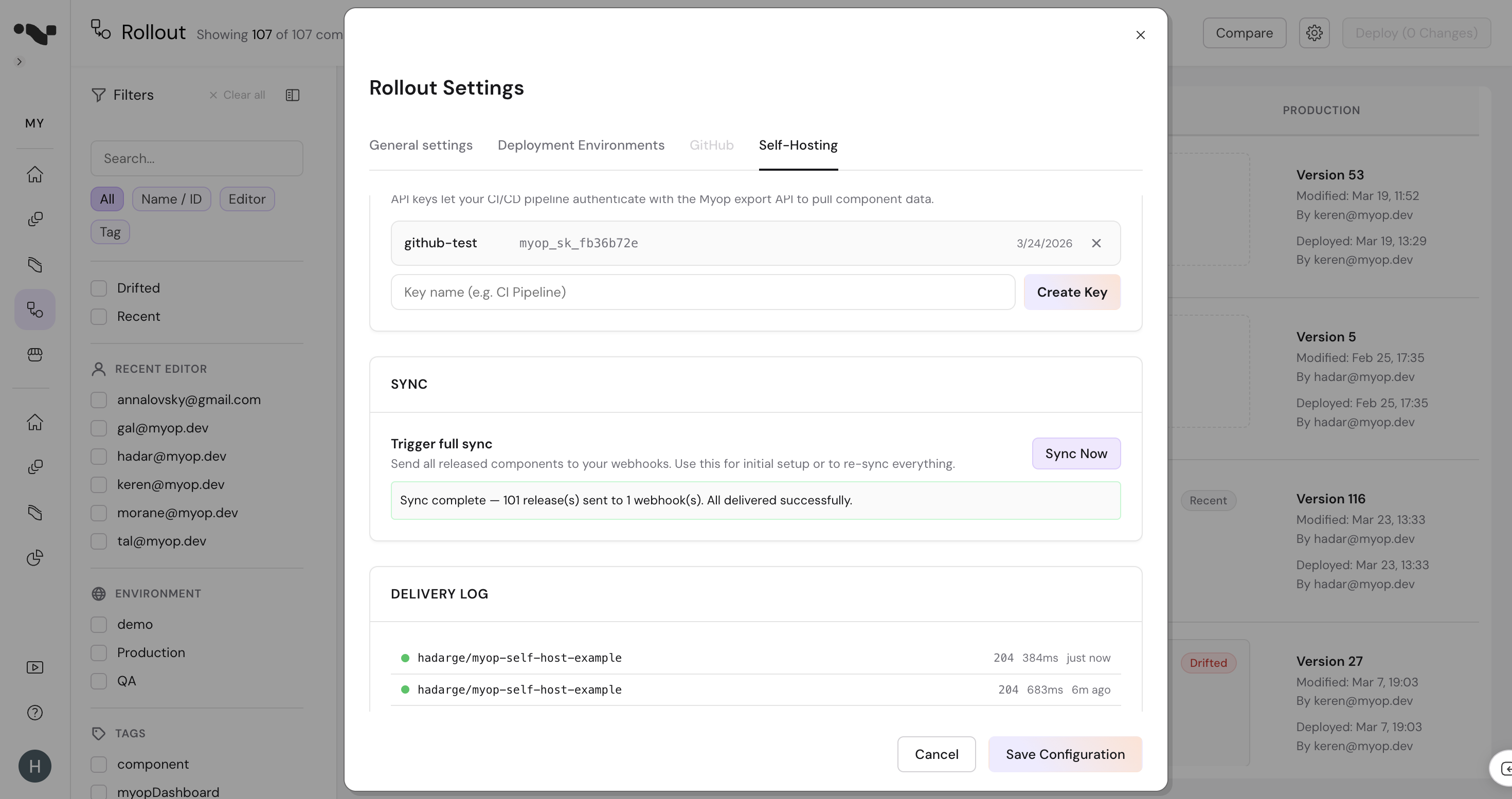
Click Sync Now in the Self-Hosting settings. This triggers a full export and fires your webhook. You should see:
- A green status indicator next to your webhook showing
204(GitHub's success response) - A new workflow run in your repository's Actions tab
Alternative: Git-Commit Sync
Instead of deploying to a cloud storage bucket, you can have the workflow commit the exported files directly back into the repository. The repo itself becomes the source of truth — no cloud credentials needed.
name: Myop Component Sync

on:
  repository_dispatch:
    types: [myop-components-deployed]
  schedule:
    - cron: '0 0 * * *'
  workflow_dispatch:

permissions:
  contents: write

env:
  MYOP_API_URL: https://cloud.myop.dev
  OUTPUT_DIR: ./components

jobs:
  sync:
    runs-on: ubuntu-latest
    steps:
      - name: Checkout
        uses: actions/checkout@v4

      - name: Setup Node.js
        uses: actions/setup-node@v4
        with:
          node-version: '20'

      - name: Export components from Myop
        run: |
          if [ "${{ github.event_name }}" = "repository_dispatch" ] && \
             [ "$RELEASES_JSON" != 'null' ] && [ -n "$RELEASES_JSON" ]; then
            echo "Incremental sync from webhook"
            npx myop export --output "$OUTPUT_DIR" --releases "$RELEASES_JSON"
          else
            echo "Full sync"
            npx myop export --output "$OUTPUT_DIR"
          fi
        env:
          MYOP_API_KEY: ${{ secrets.MYOP_API_KEY }}
          MYOP_API_URL: ${{ env.MYOP_API_URL }}
          OUTPUT_DIR: ${{ env.OUTPUT_DIR }}
          RELEASES_JSON: ${{ toJSON(github.event.client_payload.releases) }}

      - name: Commit and push changes
        run: |
          git config user.name "myop-bot"
          git config user.email "bot@myop.dev"
          git add -A
          if git diff --staged --quiet; then
            echo "No changes to commit"
          else
            TRIGGER="${{ github.event_name }}"
            if [ "$TRIGGER" = "repository_dispatch" ]; then
              MSG="sync: update components from Myop webhook"
            elif [ "$TRIGGER" = "schedule" ]; then
              MSG="sync: scheduled full sync"
            else
              MSG="sync: manual full sync"
            fi
            git commit -m "$MSG"
            git push
          fi
This approach has a few advantages:
- Only one secret — just
MYOP_API_KEY, no cloud provider credentials - Full version history — every component change is a git commit you can diff, revert, or audit
- Flexible serving — serve the files via GitHub Pages, pull them in your CI/CD pipeline, or use raw URLs during development
The permissions: contents: write line lets the workflow push commits using the built-in GITHUB_TOKEN — no personal access token needed.
Azure / GCS / Other Providers
Replace the S3 steps with your cloud provider's CLI:
- name: Deploy to Azure
  uses: azure/CLI@v1
  with:
    inlineScript: |
      az storage blob upload-batch \
        --source ./myop-static \
        --destination '$web/myop' \
        --account-name ${{ secrets.AZURE_STORAGE_ACCOUNT }} \
        --overwrite
- name: Deploy to GCS
  uses: google-github-actions/upload-cloud-storage@v2
  with:
    path: ./myop-static
    destination: ${{ secrets.GCS_BUCKET }}/myop
Troubleshooting
| Issue | Solution |
|---|---|
| Workflow not triggered | Check that the Myop GitHub App is installed on the repo and the webhook shows a green status in Self-Hosting settings |
401 Unauthorized in workflow | Verify MYOP_API_KEY secret is set correctly |
403 Forbidden on S3 | Check IAM permissions — the user needs s3:PutObject, s3:DeleteObject, s3:ListBucket |
| Components not updating | Check S3 CORS configuration — your app domain must be allowed. See Static File Format > CORS |