Host Integration
Myop components run inside any host application via framework-specific SDKs. The SDK handles all iframe/WebView management, communication, loading states, error handling, and caching.
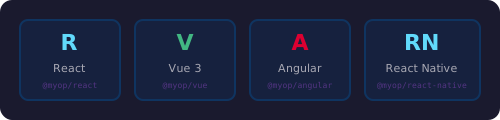
Always use the SDK's <MyopComponent>. Never create <iframe> or <WebView> elements manually — the SDK handles all communication, sizing, lifecycle, and error recovery.
React
Installation
npm install @myop/react @myop/sdk
Basic Usage
import { MyopComponent } from "@myop/react";

function App() {
    return (
        <MyopComponent
            componentId="your-component-id"
            data={{ title: "Hello", items: ["a", "b"] }}
            on={(action, payload) => console.log(action, payload)}
            style={{ width: 400, height: 300 }}
        />
    );
}
Typed Event Handlers
CTA actions from the component become on[PascalCase] props:
<MyopComponent
    componentId="task-list"
    data={{ tasks }}
    onTaskToggled={({ taskId, completed }) => {
        setTasks(prev => prev.map(t => t.id === taskId ? { ...t, completed } : t));
    }}
    onTaskDeleted={({ taskId }) => {
        setTasks(prev => prev.filter(t => t.id !== taskId));
    }}
/>
| Component CTA action | React prop |
|---|---|
'item-selected' | onItemSelected |
'form-submitted' | onFormSubmitted |
'task-toggled' | onTaskToggled |
Props
| Prop | Type | Description |
|---|---|---|
componentId | string | Myop component ID (UUID) |
data | TData | Data passed to myop_init_interface. Reactive — updates trigger re-render |
on | (action, payload) => void | Generic handler for all CTA events |
on[ActionName] | (payload) => void | Typed handler for specific CTA |
onLoad | (component) => void | Called when component finishes loading |
onError | (error: string) => void | Called on load failure |
style | CSSProperties | CSS styles for the container |
loader | ReactNode | Custom loading indicator |
fallback | ReactNode | Custom error fallback |
autoSize | boolean | Auto-size container to match content |
environment | string | Load from specific environment |
preview | boolean | Load unpublished preview version |
Preloading
import { preloadComponents, isPreloaded } from "@myop/react";

await preloadComponents(["component-id-1", "component-id-2"]);
Vue
Installation
npm install @myop/vue @myop/sdk
Requires Vue 3.5+.
Basic Usage
<script setup>
import { MyopComponent } from "@myop/vue";
</script>

<template>
    <MyopComponent
        component-id="your-component-id"
        :data="{ title: 'Hello' }"
        @cta="(action, payload) => console.log(action, payload)"
    />
</template>
Events
| Event | Payload | Description |
|---|---|---|
@cta | action, payload | CTA event from component |
@load | ITypedMyopComponent | Component finished loading |
@error | string | Load failure message |
@sizeChange | SizeInfo | Dimension change |
Slots
<MyopComponent component-id="...">
    <template #loader>
        <div class="spinner">Loading...</div>
    </template>
    <template #fallback>
        <div class="error">Failed to load</div>
    </template>
</MyopComponent>
Data Binding
The data prop is deep-watched. Vue reactivity changes automatically call myop_init_interface:
<script setup>
import { ref } from 'vue';
const count = ref(0);
</script>

<template>
    <button @click="count++">+1</button>
    <MyopComponent component-id="counter" :data="{ count }" />
</template>
Preloading
import { preloadComponents } from "@myop/vue";
await preloadComponents(["component-id-1", "component-id-2"]);
Angular
Installation
npm install @myop/angular @myop/sdk
Basic Usage
MyopComponent is a standalone Angular component — import directly, no NgModule needed:
import { MyopComponent } from "@myop/angular";

@Component({
    selector: 'app-root',
    standalone: true,
    imports: [MyopComponent],
    template: `
        <myop-component
            [componentId]="'your-component-id'"
            [data]="{ title: 'Hello' }"
            (cta)="onCta($event)"
        />
    `
})
export class AppComponent {
    onCta(event: any) {
        console.log(event.action, event.payload);
    }
}
Content Projection
<myop-component [componentId]="'...'">
    <ng-template #loader>
        <div class="spinner">Loading...</div>
    </ng-template>
    <ng-template #fallback>
        <div class="error">Failed to load</div>
    </ng-template>
</myop-component>
Data Binding
The data input is tracked via ngOnChanges. Create a new object reference to trigger updates:
increment() {
    this.count++;
    this.counterData = { count: this.count }; // New reference triggers update
}
Preloading
import { preloadComponents } from "@myop/angular";
await preloadComponents(["component-id-1", "component-id-2"]);
React Native
Installation
npm install @myop/react-native react-native-webview
For Expo projects:
npx expo install react-native-webview
npm install @myop/react-native
Basic Usage
import { MyopComponent } from "@myop/react-native";

function App() {
    return (
        <View style={{ flex: 1 }}>
            <MyopComponent
                componentId="your-component-id"
                data={{ title: "Hello" }}
                on={(action, payload) => console.log(action, payload)}
                style={{ flex: 1 }}
            />
        </View>
    );
}
Native-Specific Props
| Prop | Type | Default | Description |
|---|---|---|---|
scrollEnabled | boolean | false | Allow scrolling inside WebView |
zoomEnabled | boolean | false | Allow pinch-to-zoom |
selectionEnabled | boolean | false | Allow text selection |
Local Dev on Devices
import { enableLocalDev, setCloudRepositoryUrl } from "@myop/react-native";

// iOS Simulator
enableLocalDev();

// Android Emulator
setCloudRepositoryUrl("http://10.0.2.2:9292");

// Physical device
setCloudRepositoryUrl("http://192.168.1.100:9292");
Preloading
import { preloadComponents } from "@myop/react-native";
await preloadComponents(["component-id-1", "component-id-2"]);
Auto-Generated Packages
Every Myop component has an auto-generated, fully typed package for each framework:
# React
npm install https://cloud.myop.dev/npm/{componentId}/react

# Vue
npm install https://cloud.myop.dev/npm/{componentId}/vue

# Angular
npm install https://cloud.myop.dev/npm/{componentId}/angular

# React Native
npm install https://cloud.myop.dev/npm/{componentId}/react-native
Auto-generated packages:
- Have full TypeScript types derived from the component's
<script type="myop/types">block - Bake in the
componentId— no prop needed - Have the same API as
<MyopComponent>but with typed data and events
// Using auto-generated package (recommended for production)
import { TaskList } from "@myop/task-list";

<TaskList
    data={{ tasks }}
    onTaskToggled={(payload) => {
        // payload is typed: { taskId: string; completed: boolean }
    }}
/>
Configuration Functions
All SDKs export the same configuration functions:
import { enableLocalDev, setCloudRepositoryUrl, setEnvironment } from "@myop/react";

enableLocalDev();                        // Load from localhost:9292
setCloudRepositoryUrl("https://custom"); // Custom cloud URL
setEnvironment("staging");               // Default environment